
What Is an NPU? NPU vs CPU vs GPU Explained
An NPU is the low-power AI engine inside a growing number of laptops and phones. It does not replace the CPU or GPU; it changes how sustained, on-device AI work is divided among them.

Infrastructure Editor
What an NPU actually is
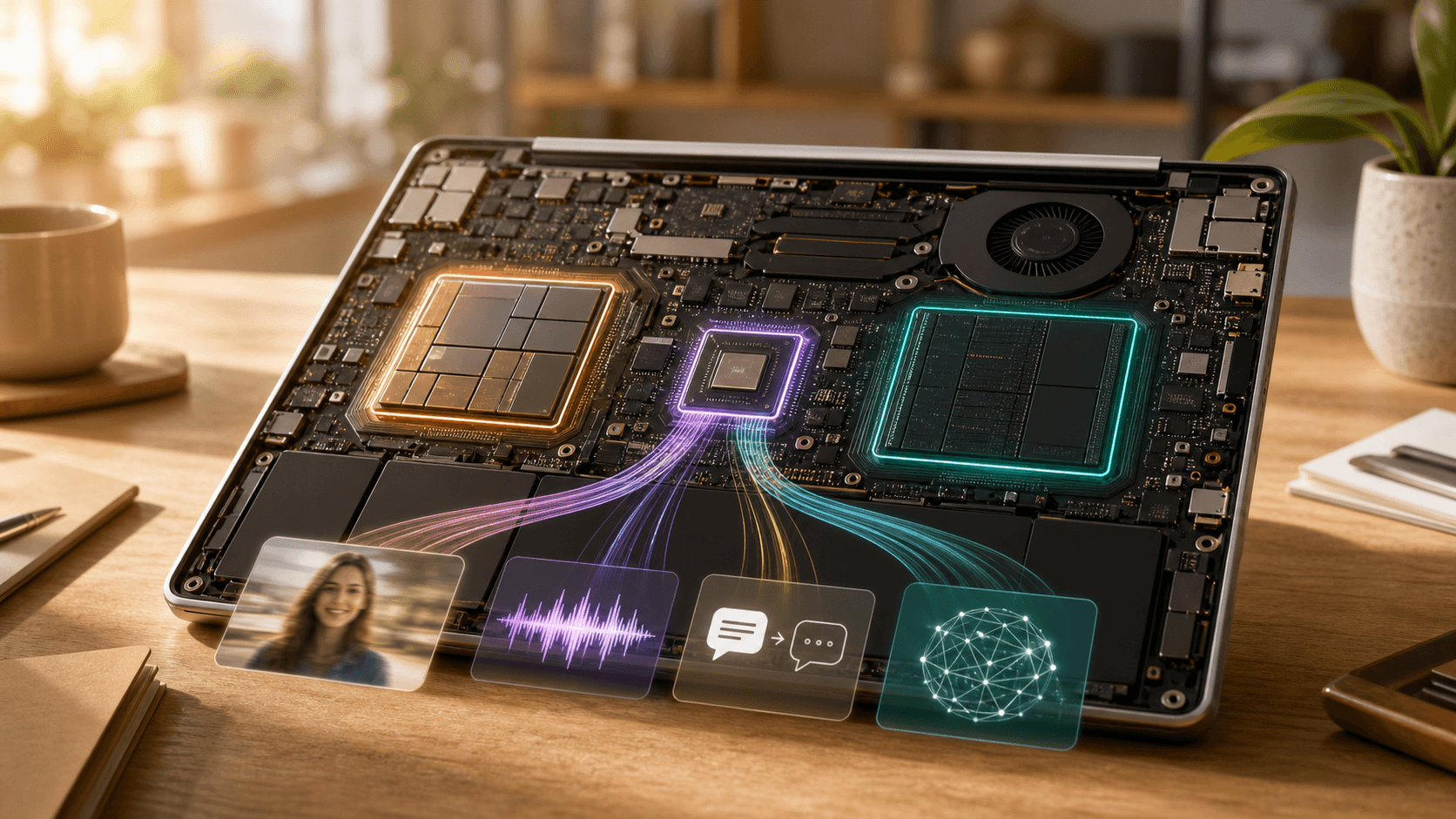
NPU stands for neural processing unit. It is a specialized block of silicon designed to execute the repetitive tensor and matrix operations used by neural networks efficiently. On a modern laptop, an NPU may handle background blur, gaze correction, microphone noise removal, live captions, semantic photo search, or a compact language model. Its purpose is not to win every benchmark. It is to keep suitable AI features running for long periods without waking a much larger processor and draining the battery.
The phrase “AI processor” can make an NPU sound like the new brain of the computer, but the architecture is collaborative. The CPU still runs the operating system and application logic. The GPU still provides enormous parallel throughput for graphics, content creation, and large AI jobs. The NPU takes a narrower class of inference workloads and runs them at a better performance-per-watt. A good AI PC is therefore not a machine with one magical chip; it is a system that routes each task to the right engine.
Why the CPU still runs the show
A CPU has relatively few sophisticated cores optimized for low-latency decisions, varied instructions, and sequential work. Opening an application, evaluating a spreadsheet formula, managing files, responding to input, and coordinating hardware all suit this general-purpose design. If one step depends on the result of the previous step, a CPU often handles the branching logic more naturally than a processor built around thousands of similar operations. This flexibility is why the CPU remains the central coordinator even as specialized accelerators multiply.
An AI feature also needs work around the model. The application must read a document or camera frame, prepare the input, choose an accelerator, apply safety rules, and display or store the result. The CPU coordinates those steps even when the core inference runs elsewhere. That is why “Which chip is fastest?” is incomplete. A short, unpredictable request may finish more quickly on the CPU, while a continuous stream may be far more efficient on the NPU. Performance should be measured across the whole user task.
Why the GPU remains essential for heavy AI
A GPU is designed for throughput. Its many smaller execution units can process a huge number of similar operations in parallel, which made the architecture ideal for rendering pixels and later for training neural networks. Large matrix multiplications, image generation, video effects, scientific simulation, and high-throughput model inference all benefit from that scale. A discrete GPU also has dedicated high-speed memory, and the amount of available VRAM can determine whether a large model fits at all.
The trade-off is power and heat. A high-end GPU can deliver results the NPU cannot approach, but keeping it active for a two-hour video call may be wasteful if the job is only background segmentation and audio cleanup. This is where the NPU earns its place. It can sustain smaller inference tasks while the GPU sleeps, then the system can wake the GPU for a demanding creative or analytical workload. The two processors are complements, not competitors fighting for a single permanent role.
The NPU features people can use today
The most credible NPU benefits are often quiet rather than spectacular. Video-call effects can stay enabled without a loud fan. Live transcription can run beside other applications. A photo library can index faces and objects locally. Accessibility tools can listen for speech, describe a scene, or enhance audio with less dependence on a remote service. Some development and productivity applications can run compact models on the device for rewriting, classification, or retrieval. These are sustained inference jobs, precisely the workload the NPU was built to handle.
Local execution can reduce latency because data does not have to make a round trip to a data center. It can also improve resilience when a connection is slow or unavailable. Privacy may improve if raw audio, images, and documents remain on the machine, but that outcome depends on software design. An application can use the NPU and still upload prompts, telemetry, or results. Buyers should look for an explicit offline mode and a clear data policy rather than treating the presence of an NPU as a privacy guarantee.
TOPS is useful, but it is not the whole benchmark
NPU performance is commonly advertised in TOPS, or trillions of operations per second. The number is a reasonable starting point, especially when an operating-system feature requires a minimum class of hardware, but it does not describe the full experience. Precision, supported operators, memory bandwidth, thermal limits, driver quality, and software optimization all affect delivered performance. Vendors can also quote numbers under different conditions, so a large headline figure does not automatically translate into a faster caption, image, or language-model workflow.
The useful benchmark is the application you plan to run. Does live captioning remain accurate while the laptop is on battery? Does an editing tool actually select the NPU, and how much time does it save? Can the local model fit in shared memory without slowing every other application? Independent tests should report both speed and energy use, because an NPU that finishes slightly slower but uses much less power may be the better engine for an all-day task. Efficiency is part of the product, not a footnote.
How to choose an AI PC without buying a label
Start with your real workload. For web applications, office work, long video calls, accessibility tools, and small local assistants, a current CPU with a capable NPU and strong battery life may matter more than a discrete GPU. For 3D rendering, advanced video production, local image generation, machine-learning development, or gaming, GPU performance and VRAM remain central. Memory capacity, storage speed, display quality, cooling, repairability, and ports still influence daily use more than an AI badge on the palm rest.
Then ask what the software supports. A theoretically fast NPU has limited value if your applications cannot use its runtime or operators. Check vendor lists, independent reviews, and update commitments. Also examine sustained performance: thin laptops may advertise the same chip but behave differently after ten minutes because of cooling and power profiles. The best purchase is a balanced system whose NPU improves tasks you already do, not a compromised computer bought for an uncertain promise of future AI features.
Privacy, capacity, and the hybrid future
On-device AI is not automatically private AI. The model may run locally while an application still syncs the document, stores a transcript in the cloud, or sends diagnostic data. Organizations need permission controls, retention rules, encryption, update management, and a way to audit which engine handled a task. Consumers should test what happens when Wi-Fi is disabled. If the feature disappears, the marketing claim of local intelligence needs a closer reading. The NPU is a compute engine, not a complete security architecture.
It also cannot fit every model. Frontier systems and large generative workloads still require the memory capacity and aggregate compute of GPUs in workstations or data centers. The practical future is hybrid: immediate or sensitive steps on the device, larger reasoning or generation in the cloud, and software choosing between them according to cost, latency, privacy, and quality. That design is useful only when the user can understand and control the boundary. Invisible routing should not become invisible data collection.
The simple difference between CPU, GPU, and NPU
The CPU is the flexible generalist and system coordinator. The GPU is the high-throughput parallel engine for graphics and heavy AI. The NPU is the efficient specialist for sustained neural-network inference. None replaces the other, and the strongest devices use all three. The meaningful question is not whether a laptop has “AI,” but whether its software places the right workload on the right processor and produces a measurable gain in speed, battery life, privacy, or accessibility.
Before buying, ask which applications use the NPU, which features work offline, how performance changes on battery, and whether the rest of the computer meets your needs. Intel’s architecture overview and AI PC guide provide useful primary explanations of the three engines and their intended roles: https://www.intel.com/content/www/us/en/products/docs/processors/cpu-vs-gpu.html and https://www.intel.com/content/www/us/en/learn/what-is-an-ai-pc.html
“Good technology journalism helps the reader make a better decision after reading.”
About the author

Michael Lee
Infrastructure Editor
Michael covers chips, cloud platforms, data centers, software infrastructure, and the economics behind large-scale computing.